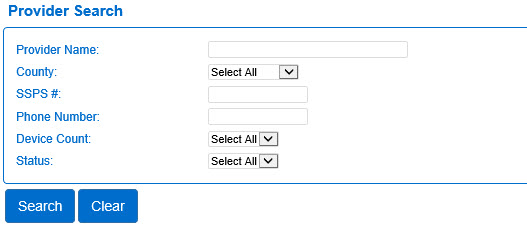
Use the Provider page to review information on childcare providers. To access each section of the Provider activity you must first select a Provider through the Search page.
The Provider > Search contains a variety of fields that you can use to enter one or more criteria for your search. Select a Provider to work with, then navigate to the desired information section by using the links in the Search Results or by clicking on the Navigation Bar.
Note: If no search parameters are entered, the system asks you to confirm the search.
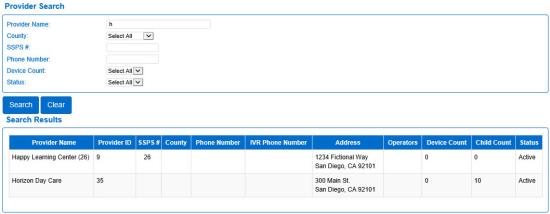
In the example above, we searched for a Provider Name that started with the letter H. The system found two occurrences as listed in the Search Results grid. The Results list includes the Provider Name, the Provider ID, the SSPS #, the County , the Phone Number, the IVR Phone Number, the physical Address and the names of the authorized Operators. In addition, it lists the Device Count and the Child Count, as well as the current Status. The Provider Name in the search results serves as a link to access the Provider page for more details or for editing.